REC / Cameras / Camcorder / MiniDV
Camcorder · MiniDV camcorder effect
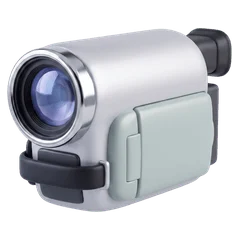
MiniDV
Bright, sharp 2000s home video
The crisp, slightly cold, slightly over-sharpened look of early-2000s home video. Sharp enough that the interlace comb is most of what says "MiniDV".
Based on MiniDV, the small digital tape of early-2000s home video.
- Frame rate
- 30 fps
- Resolution
- 85%
- Frame
- 4:3
- Sound
- Stereo

A frame developed through MiniDV in REC, with its HUD.
The picture
- Near full resolution with a strong sharpening edge
- Cold blue cast and saturated colour
- Heavy interlace combing on motion
- A frame-accurate timecode on the HUD
The sound
Digital sound: 45 Hz to 15 kHz, clean, no wavering.
- Band
- 45 Hz – 15 kHz
- Hiss
- 5%
- Wow · flutter
- Steady
The display
A blinking red dot and REC, "DV 60" top right, a three-cell battery and a frame-accurate timecode.
MiniDV in REC: questions
How do I get the MiniDV look on iPhone video?
Open REC, pick MiniDV from the camera strip and press record. The look runs live in the viewfinder, so what you frame is what you get. You can also import a video you already shot and develop it through MiniDV.
Does the MiniDV camera change the sound?
Yes. Digital sound: 45 Hz to 15 kHz, clean, no wavering.
Is MiniDV free in REC?
Every camera, MiniDV included, is in the free download, and your first take is free. Unlimited takes need REC Pro ($9.99 a year or $2.99 a week, US prices).
Guides
VHS vs Hi8 vs MiniDV: what each tape actually looked like How to get a real VHS look on iPhone video The best VHS camcorder apps for iPhone in 2026