REC / Cameras / Camcorder / Beta
Camcorder · Betacam broadcast camera look
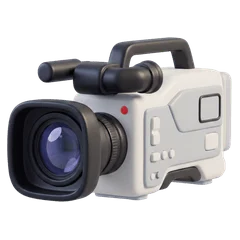
Beta
Soft broadcast-era color
The broadcast deck: rich, stable colour, gentle line structure, and a bar drifting through like a monitor filmed off air.
Based on The Betacam broadcast deck that news crews shouldered from the 1980s.
- Frame rate
- 30 fps
- Resolution
- 70%
- Frame
- 4:3
- Sound
- Stereo

A frame developed through Beta in REC, with its HUD.
The picture
- Rich, saturated colour that stays put
- Visible scanlines and a slow rolling bar
- Some chroma bleed and ghosting, much less tracking trouble than home tape
- The REC label without a lamp, and a broadcast timecode
The sound
A broadcast audio path kept honest: 40 Hz to 15 kHz, barely any hiss.
- Band
- 40 Hz – 15 kHz
- Hiss
- 6%
- Wow · flutter
- Steady
The display
A blinking REC label with no lamp, "BETACAM SP" top right and a frame-accurate timecode.
Beta in REC: questions
How do I get the Beta look on iPhone video?
Open REC, pick Beta from the camera strip and press record. The look runs live in the viewfinder, so what you frame is what you get. You can also import a video you already shot and develop it through Beta.
Does the Beta camera change the sound?
Yes. A broadcast audio path kept honest: 40 Hz to 15 kHz, barely any hiss.
Is Beta free in REC?
Every camera, Beta included, is in the free download, and your first take is free. Unlimited takes need REC Pro ($9.99 a year or $2.99 a week, US prices).
Guides
VHS vs Hi8 vs MiniDV: what each tape actually looked like How to get a real VHS look on iPhone video The best VHS camcorder apps for iPhone in 2026