Fun · Thermal camera effect
Thermal
False-color heat vision
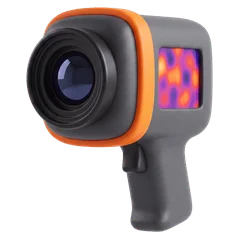
The false-colour ramp is the whole picture: a 160 × 120 sensor refreshing at the 9 Hz consumer thermal cores are limited to.
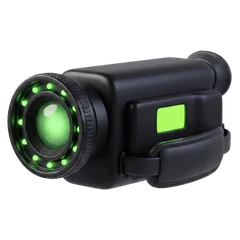
Based on A consumer thermal imager.
- Frame rate
- 9 fps
- Resolution
- 20%
- Frame
- 4:3
- Sound
- Mono tape
Thermal's viewfinder and HUD in REC.
The picture
- False-colour heat palette
- 9 frames per second at a fifth of the resolution
- A crosshair and IR label on the HUD
The sound
An instrument's afterthought of a microphone: mono, 200 Hz to 5.5 kHz.
- Band
- 200 Hz – 5.5 kHz
- Hiss
- 25%
- Wow · flutter
- Steady
The display
A blinking red dot and REC, "IR" top right, a three-cell battery, a running tape counter and a crosshair.
Thermal in REC: questions
How do I get the Thermal look on iPhone video?
Open REC, pick Thermal from the camera strip and press record. The look runs live in the viewfinder at 9 frames per second, so what you frame is what you get. You can also import a video you already shot and develop it through Thermal.
Does the Thermal camera change the sound?
Yes. An instrument's afterthought of a microphone: mono, 200 Hz to 5.5 kHz.
Is Thermal free in REC?
Every camera, Thermal included, is in the free download, and your first take is free. Unlimited takes need REC Pro ($9.99 a year or $2.99 a week, US prices).
Guides
How to get a real VHS look on iPhone video The best VHS camcorder apps for iPhone in 2026